




































✦ ESTATES OF SKYRIM COLLECTION ✦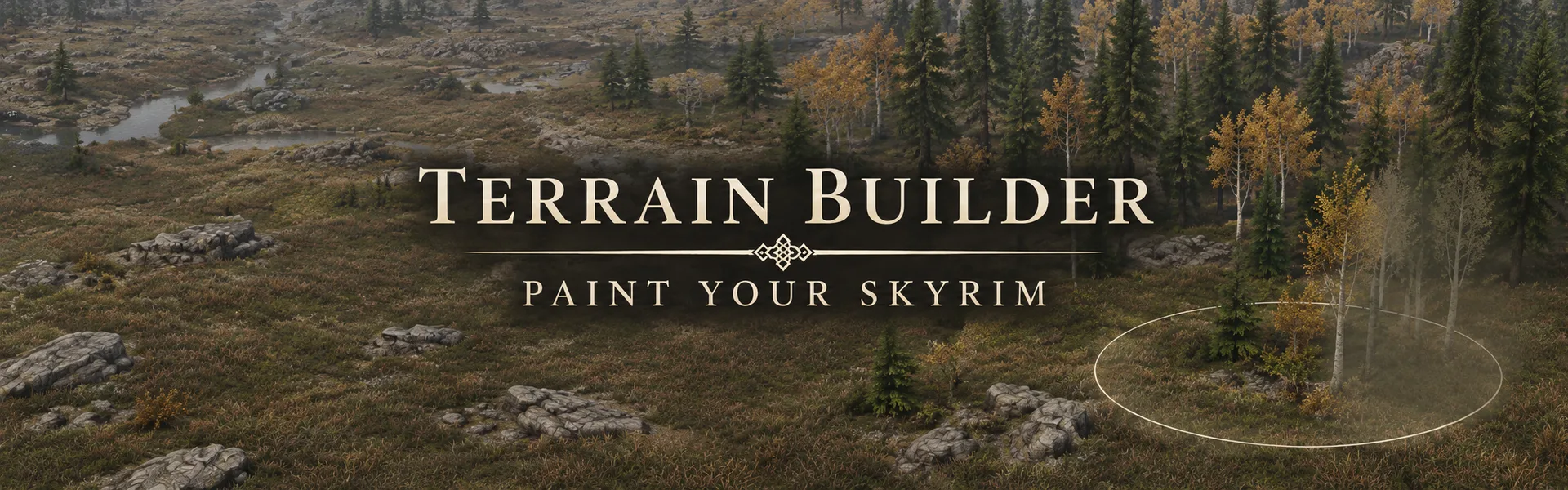 Terrain Builder
Paint forests, plants and rocks anywhere in Skyrim.
Make Skyrim yours
Ever wished that empty field next to your house was a forest? Or that the creek bank had more rocks and flowers? Open the panel, pick what to paint and paint it straight into your world with a brush. A highlighted area shows you exactly where things will go before you paint. 40 sets of trees, plants and rocks, all from the base game, so it works in any load order. And it works anywhere outdoors, not just at your estate.
Instant mod help: Join our Discord and ask in #mod-help.
See it in game
Paint forests, plants and rocks anywhere in Skyrim.
Make Skyrim yours
Ever wished that empty field next to your house was a forest? Or that the creek bank had more rocks and flowers? Open the panel, pick what to paint and paint it straight into your world with a brush. A highlighted area shows you exactly where things will go before you paint. 40 sets of trees, plants and rocks, all from the base game, so it works in any load order. And it works anywhere outdoors, not just at your estate.
Instant mod help: Join our Discord and ask in #mod-help.
See it in game

Go outdoors and press Scroll Lock to open the panel. You can change the key in the MCM (Terrain Builder).
Pick a tab (Trees, Plants or Rocks), then pick what to paint.
Press Start painting, then hold left click on the ground and drag. Right click erases.
Press the panel key and Stop painting when you're done. Fast travel or any loading screen stops it too.
What you paint is kept in your save.

11 kinds of trees: pine forest, snowy pines, dead pines, dead snowy pines, aspens for an autumn forest, Reach trees, Reach cliff trees, tundra driftwood, tree stumps, and Solstheim's ash pines, live and dead.
Each set mixes several of the game's own trees, turned and sized at random, so a painted forest looks grown, not copied.

14 kinds of plants: tundra, pine, snowy and autumn shrubs, ferns, Reach plants, mountain flowers, herbs and wildflowers, snowberries, farm crops, wild grass and clover, thickets and vine maple, mountain moss, and Solstheim's ash plants.
Painted crops, herbs, flowers and snowberries can be picked like the game's own, and they grow back.

15 kinds of rocks, one for every kind of ground: plain, snowy, mossy, river and creek, beach, autumn forest, Reach, tundra, volcanic and icy rocks, plus rock piles, cliff rocks, big boulders, small stones and rock shelves.

Size and density sliders on the panel, or [ ] for the size and Shift with [ ] for the density while you paint.
A circle, square or ring brush.
Paint or erase. Right click always erases.
Ctrl+Z or Undo stroke takes back the last stroke. Remove all clears what you painted around you.
Good to know
In short: Terrain Builder only places trees, plants and rocks in your world, as objects. It does not change the ground, the grass, LOD, or any other mod's records.
Grass and grass cache: untouched. Grass mods like Freak's Floral Fields or Sacred Grass stay exactly as they are, and your grass cache does not need to be rebuilt.
Erasing: right click, the Erase brush, Undo stroke and Remove all only take away what Terrain Builder painted. The game's own trees, plants and rocks are never removed.
Don't paint over roads, paths, doorways or estates. Painted trees and rocks don't change where people can walk, so NPCs will walk into them or get stuck.
Every painted thing is a real object kept in your save. Remove all and the eraser only reach what is loaded around you.
LOD: what you paint is placed in your save while you play, not in a plugin, so DynDOLOD and other LOD tools never see it and there is no LOD for it. Painted things show up when that area loads around you, like other nearby objects, not from far away. Your existing LOD is not changed: Terrain Builder adds no world records.
ParallaxGen, PBR and other mesh or texture packs: Terrain Builder ships no meshes or textures. Every set uses the base game's own trees, plants and rocks, so they are painted with whatever meshes and textures win in your load order, ParallaxGen's patched ones included. Nothing to rerun.
Landscape tools (Landscape Fixer, seam fixers and the like): Terrain Builder does not change the ground. It places objects on top of it, and its plugin has no landscape or cell records, so those tools see nothing from it.
Outdoors only. Sculpting the ground itself is not in this version.

Skyrim Script Extender (SKSE64)
Address Library for SKSE Plugins
Prisma UI (the panel) and Media Keys Fix SKSE (needed by Prisma UI). Or Magelight UI with the optional Magelight file.
MCM Helper and SkyUI to change the key. Without them Scroll Lock still works.
Backported Extended ESL Support only on game versions older than 1.6.1130.
Install with your mod manager. TerrainBuilder.esp is a small light plugin (ESL) that only holds the MCM, so it takes no load order slot.
Use Magelight UI instead of Prisma UI? Install the optional Terrain Builder - Magelight file instead of the main file. Everything else is the same.
Built and played in a Nolvus Awakening load order. Nolvus users: install it like any other mod.
Safe to install mid-game: load your save, go outdoors and press Scroll Lock to open the panel.
To uninstall: what you painted stays in your save as it is. To clear an area first, stand there, open the panel and use the eraser or Remove all.
Also by me
Estates of Skyrim
Warband
Credits
Thanks to the SKSE team, the Address Library team, the authors of Prisma UI, MCM Helper and SkyUI. Built with houseCARL and DevBench. The panel uses the game's own menu font.