




















































Modhold
Minecraft
Freev1.5.10+26.3

Capes

Lets you use capes from OptiFine, LabyMod and other cape mods

caelthecolher3 @caelthecolherCredited author
Sign in to download One-click install with the free Modhold app. Get the app
Share
X Facebook Reddit

Sign in to get 25 XP when someone opens your link.

0Unique downloads
25.2MDownloads, all sites
2Views
0Vouches
–no scores yetScore
Shared under its open licence (LGPL-2.1-only)
Made by caelthecolher. Its licence lets anyone share it, with credit. See the proof · Original page · Are you caelthecolher?
About this modWritten by Modhold staff

Capes shows the capes other cape services give players, including OptiFine, LabyMod and the MinecraftCapes mod. You install it and capes just appear, with a config screen to turn off any source you dislike.

Kind
Cosmetic mod
Version
1.5.10+26.3
Installs with
The Modhold app

What it does

  • Displays capes from OptiFine, LabyMod and MinecraftCapes
  • Works after installation with no setup
  • Lets you disable capes from individual services in settings
  • Runs on Fabric and Forge

How to install

  1. Press Install on this page, or in the Modhold app.
  2. Fabric Language Kotlin is needed alongside Fabric API.
  3. Open the configuration screen to mute a cape source.

The author has no ties to Mojang or the cape services it reads from.

The author’s description by caelthecolher, shared word for wordRead it

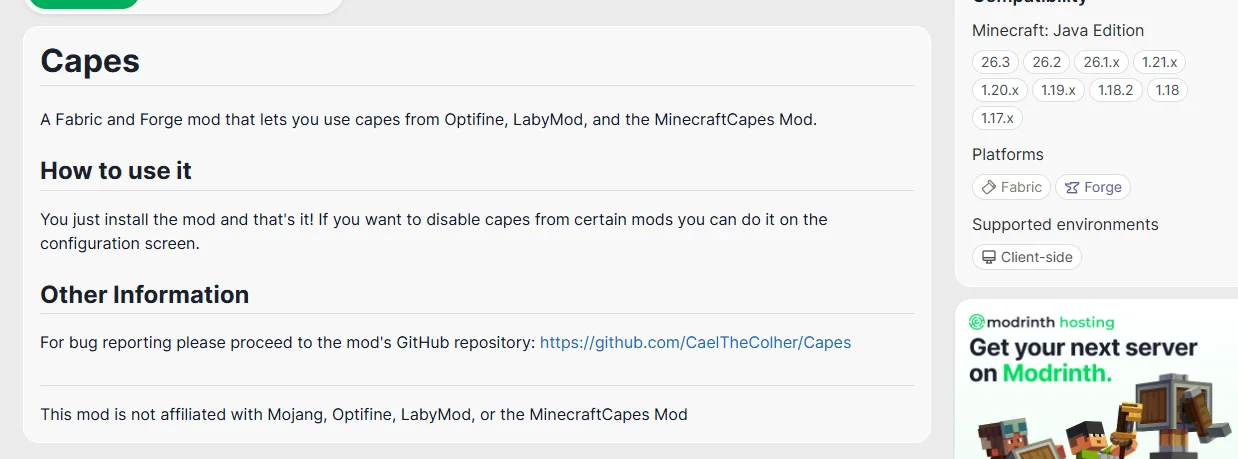
Capes

A Fabric and Forge mod that lets you use capes from Optifine, LabyMod, and the MinecraftCapes Mod.

How to use it

You just install the mod and that's it! If you want to disable capes from certain mods you can do it on the configuration screen.

Other Information

For bug reporting please proceed to the mod's GitHub repository: https://github.com/CaelTheColher/Capes

This mod is not affiliated with Mojang, Optifine, LabyMod, or the MinecraftCapes Mod

Install

Put the .jar file in your Minecraft mods folder (with Fabric Loader installed for that Minecraft version), then start the game.
Requirements

New to Minecraft mods? Read how to install Minecraft mods.

Credits

caelthecolher (Owner). Original page: https://modrinth.com/mod/capes

Permissions

Open licence: LGPL-2.1-only. Source code: https://github.com/CaelTheColher/Capes. Original page: https://modrinth.com/mod/capes. Shared on Modhold under that licence and credited to its authors; the files are unchanged.

Permission proof

Why this mod is on Modhold

The mod's original page, where it says what the mod is:

The top of the mod's original page: its name, author and details

This mod is released under an open licence, LGPL-2.1-only, which lets anyone share it as long as its authors are credited and the licence comes with it. Its source code: github.com/CaelTheColher/Capes · The licence

Captured 20 Nov 2026 from the original page. The author can claim this page, or have it taken down, at any time.

Before you download

This mod needs other mods

Capes needs these to work. Download and install them too.

Required 2