




















































Modhold
Minecraft
Freev20.0.0

BetterF3

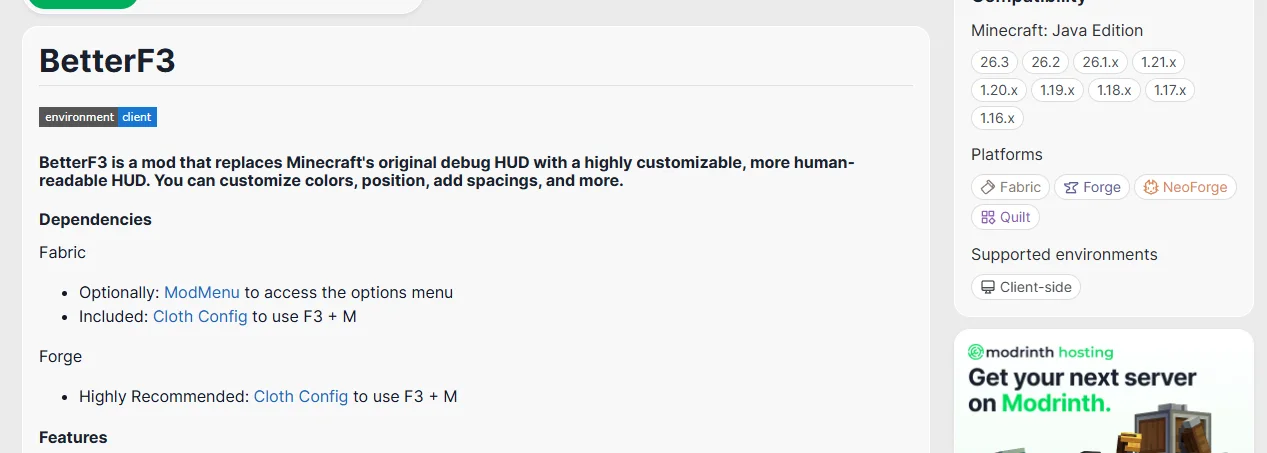
BetterF3 is a mod that replaces Minecraft's original debug HUD with a highly customizable, more human-readable HUD.

TreyRuffy3 @TreyRuffyCredited author
0Unique downloads
36.9MDownloads, all sites
7Views
0Vouches
–no scores yetScore
Shared under its open licence (MIT)
Made by TreyRuffy. Its licence lets anyone share it, with credit. See the proof · Original page · Are you TreyRuffy?
About this modWritten by Modhold staff

BetterF3 swaps the vanilla F3 debug screen for one you can restyle. Text is laid out so it reads more easily, and you decide what shows, where and in what color.

Kind
Interface mod
Version
20.0.0
Installs with
The Modhold app

What it does

  • Edit colors and screen position of each info block
  • Add spacing, remove lines, or switch off whole modules
  • Optional text shadow and a tinted background behind the lines
  • Animated open and close with adjustable speed

How to install

  1. Press Install on this page, or in the Modhold app.
  2. Cloth Config is needed for the F3 + M settings screen.
  3. ModMenu is a handy extra for reaching the options.
The author’s description by TreyRuffy, shared word for wordRead it

BetterF3

BetterF3 is a mod that replaces Minecraft's original debug HUD with a highly customizable, more human-readable HUD. You can customize colors, position, add spacings, and more.

Dependencies

Fabric

Forge

Features

Each line is part of a Module, you can:

  • Change the colors of each module
  • Change the position of each module
  • Add and delete modules, as well as add spacings between them
  • Disable individual lines of a module, or disable the whole module
  • Add a shadow to the text rendered (Activated by default)
  • Change the color of the background behind all lines
  • Animations for opening/closing (with configurable speeds)

Translations

This mod has been translated into multiple languages. Add or update your own language on Crowdin

Development Builds

The latest builds can be found here.

Configuration

Downloading Cloth Config allows you to press F3 + M in game to edit the F3 menu.

Screenshots and Videos

Video by AntVenom Video by Boodlyneck

Thanks to @Nirewen for the icon.

Post any issues on the GitHub Issues tab

Install

Put the .jar file in your Minecraft mods folder (with Fabric Loader or NeoForge installed for that Minecraft version), then start the game.
Requirements

New to Minecraft mods? Read how to install Minecraft mods.

Credits

TreyRuffy (Owner), cominixo (). Original page: https://modrinth.com/mod/betterf3

Permissions

Open licence: MIT. Source code: https://github.com/TreyRuffy/BetterF3. Original page: https://modrinth.com/mod/betterf3. Shared on Modhold under that licence and credited to its authors; the files are unchanged.

Permission proof

Why this mod is on Modhold

The mod's original page, where it says what the mod is:

The top of the mod's original page: its name, author and details

This mod is released under an open licence, MIT, which lets anyone share it as long as its authors are credited and the licence comes with it. Its source code: github.com/TreyRuffy/BetterF3 · The licence

Captured 20 Nov 2026 from the original page. The author can claim this page, or have it taken down, at any time.

Before you download

This mod needs other mods

BetterF3 needs these to work. Download and install them too.

Required 2