




















































Modhold
Minecraft
Freev2.14.0

VeinMiner Hotkey

Veinminer Addon - Use a hotkey to veinmine with a dynamic crosshair & block highlighting

Miraculixx4 @MiraculixxCredited author
0Unique downloads
78.7MDownloads, all sites
7Views
0Vouches
–no scores yetScore
Shared under its open licence (LGPL-3.0-only)
Made by Miraculixx. Its licence lets anyone share it, with credit. See the proof · Original page · Are you Miraculixx?
About this modWritten by Modhold staff

VeinMiner Hotkey is an add-on for the VeinMiner mod. Once it is in, veinmining only happens while you hold a key, and you get a preview of which blocks will go. Pattern choice changes with the scroll wheel.

Kind
Veinmining add-on
Version
2.14.0
Needs
Fabric Language Kotlin, Fabric API, KotlinLangForge, VeinMiner
Installs with
The Modhold app

What it does

  • Veinmine only while the hotkey is pressed
  • Shows a block highlight and dynamic crosshair preview
  • Switch mining pattern by scrolling while holding the key
  • Open the pattern editor with O

How to install

  1. Press Install on this page, or in the Modhold app.
  2. VeinMiner itself must also run on the server, or on your client in single player.
  3. The add-on turns itself off if the server lacks VeinMiner.

Servers can tune client behaviour with /veinminer settings client.

The author’s description by Miraculixx, shared word for wordRead it

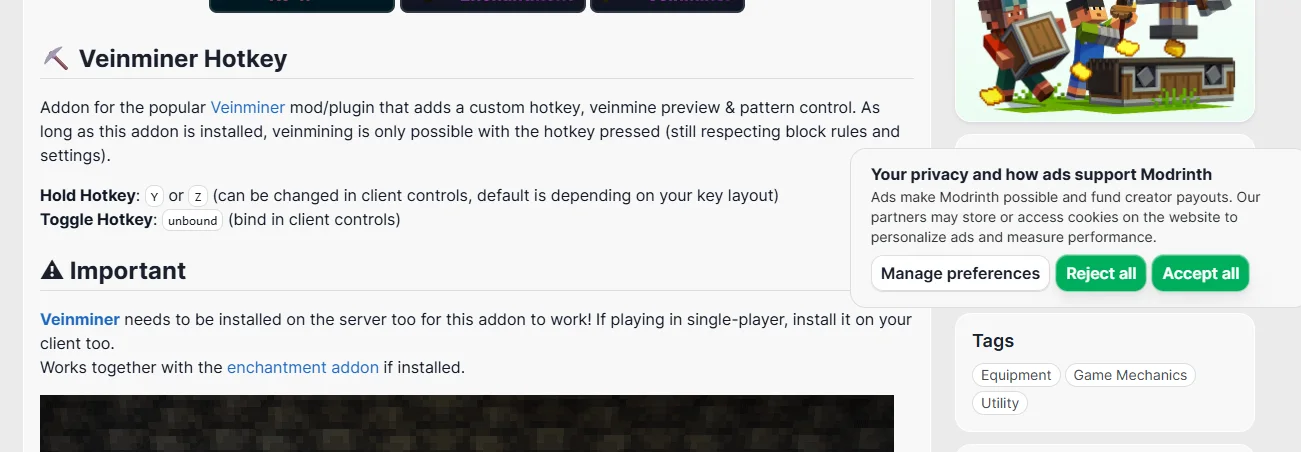
⛏️ Veinminer Hotkey

Addon for the popular Veinminer mod/plugin that adds a custom hotkey, veinmine preview & pattern control. As long as this addon is installed, veinmining is only possible with the hotkey pressed (still respecting block rules and settings).

Hold Hotkey: Y or Z (can be changed in client controls, default is depending on your key layout) Toggle Hotkey: unbound (bind in client controls)

⚠ Important

Veinminer needs to be installed on the server too for this addon to work! If playing in single-player, install it on your client too. Works together with the enchantment addon if installed.

⚙ Settings

Pattern selection can be changed by holding the hotkey and scrolling up/down. Additionally holding shift allows changing the mining depth/width.

Pattern Config Hotkey: O (configure, add, remove patterns to your liking. Accessible via mod menu as well)


The server can configure client behavior with the following options. The client mod will automatically disable itself if the server does not have Veinminer installed.

Command: /veinminer settings client ...

Setting Description Default
allow If the use of the client mod is allowed true
translucentBlockHighlight If block highlighting should be visible through blocks true
allowAllBlocks If hotkey user can veinmine every block (respecting other settings) false

Platform Notice: No reuploads or forks are allowed on Modrinth & CurseForge

Install

Put the .jar file in your Minecraft mods folder (with Fabric Loader or NeoForge installed for that Minecraft version), then start the game.
Requirements

New to Minecraft mods? Read how to install Minecraft mods.

Credits

Miraculixx (Owner). Original page: https://modrinth.com/mod/veinminer-client

Permissions

Open licence: LGPL-3.0-only. Source code: https://github.com/MiraculixxT/Veinminer. Original page: https://modrinth.com/mod/veinminer-client. Shared on Modhold under that licence and credited to its authors; the files are unchanged.

Permission proof

Why this mod is on Modhold

The mod's original page, where it says what the mod is:

The top of the mod's original page: its name, author and details

This mod is released under an open licence, LGPL-3.0-only, which lets anyone share it as long as its authors are credited and the licence comes with it. Its source code: github.com/MiraculixxT/Veinminer · The licence

Captured 20 Nov 2026 from the original page. The author can claim this page, or have it taken down, at any time.

Before you download

This mod needs other mods

VeinMiner Hotkey needs these to work. Download and install them too.

Required 4