




















































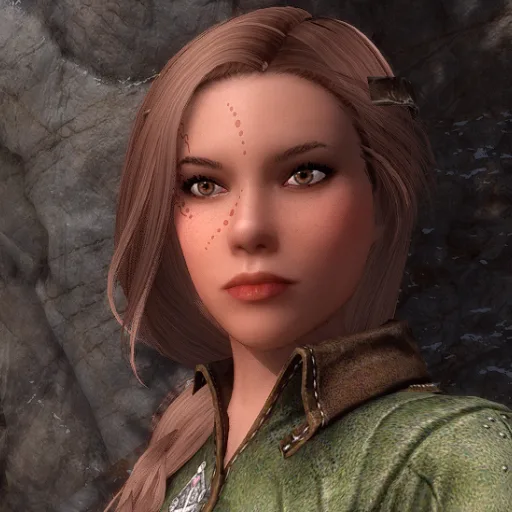
This is a cleaned up and tweaked replacer for Ralof of Riverwood. Although I liked the vanilla version of Ralof, I wasn't impressed with his dirt-covered face. Soooo....I cleaned him up and tweaked him a bit, but not too much.
What I did:
1. Swapped out his vanilla head with the high poly head by KouLeifoh
2. Removed the dirt and tweaked his skintone
3. Changed his hair to the Eivor model from KS Hairdos SSE by Kalilies
4. Changed his weight from 75 to 70
5. Changed his height from 1 to 1.03
6. Flagged as ESL so it won't take up space in your load order.
With the exception of his hair, which is included, this mod will use your existing textures and body. I use Tempered Skins for Males by Traa108. It is only his head. There are no requirements other than the base game.
Installing:
Use your prefered mod manager to install, the same to uninstall.
If you have any mods that alter Ralof's files, this mod must load after them. Also, if you install mid-game, there is a high probability that you will get a neck gap because the original version is baked into your save. To fix it, do the following:
1. Open the console with the ~ key.
2. Click on Ralof with your mouse.
3. Type "setnpcweight 70" and tap enter. his face will get ugly, but the next two steps should fix that.
4. Type "disable" and tap enter.
5. Type "enable" and tap enter.
That should fix it, but you may have to restart your game if it doesn't. So, after following those steps, save and restart your game. That should fix it.