




















































Modhold
Cyberpunk
Freev1.0.1

redscript

Compiler for Cyberpunk2077 scripts

jac3km44 @jac3km4Credited author
Sign in to download One-click install with the free Modhold app. Get the app
Share
X Facebook Reddit

Sign in to get 25 XP when someone opens your link.

2Unique downloads
13.4MDownloads, all sites
38Views
0Vouches
–no scores yetScore
Shared under its open licence (MIT)
Made by jac3km4. Its licence lets anyone share it, with credit. See the proof · Original page · Are you jac3km4?
About this modWritten by Modhold staff

The script compiler for Cyberpunk 2077 mods. It lets other mods add to or replace the game's own scripts, so you install it once and every redscript-based mod can work. Players need it when a mod lists it, and modders use it to build script changes.

Kind
Framework · Script compiler
Version
1.0.1
Needs
Nothing else
Installs with
The Modhold app

What it does

  • Compiles mod scripts and adds or replaces game scripts.
  • Keeps a backup of the original game scripts so you can undo it.
  • Writes a log you can check when something is not working.
  • Works with REDmod once RED4ext or cybercmd is installed.

How to install

  1. Press Install on this page, or in the Modhold app.
  2. After install, the game folder should hold engine/tools/scc.exe and engine/config/base/scripts.ini.
  3. If you use REDmod, install either RED4ext (the better choice) or cybercmd, never both.

To check it worked, open r6/logs/redscript.log in the game folder. It should end with a line saying the output was saved.

The author’s description by jac3km4, shared word for wordRead it


REDSCRIPT

This is a script compiler that can be integrated with the game and used to add/replace game scripts.

Source code available here.

INSTALLATION

You'll need to download the archive available in the 'Files' tab and extract it in the main 'Cyberpunk 2077' directory.

You should end up with the following files in the game directory:

- Cyberpunk 2077\engine\tools\scc.exe

- Cyberpunk 2077\engine\config\base\scripts.ini

NOTE FOR REDMOD USERS

There is a known compatibility issue with REDmod. To use redscript with REDmod you should to install either RED4ext (recommended) or cybercmd. Do not install both. Once installed, the REDmod compatibility should be resolved.

NOT WORKING?

If you are not sure if it's working or have any other issues, you should look for a log file at 'Cyberpunk 2077\r6\logs\redscript.log'.

This log file should end with 'Output successfully saved to ...' if the mods were applied successfully.

If the log file contains any errors or warnings, you can post them here to help with debugging.

If the log file isn't there, redscript has not been installed correctly.

UNINSTALLING

The compiler saves a copy of the game scripts in a file 'Cyberpunk 2077\r6\cache\final.redscripts.bk'.

If you wish to uninstall redscript you can just remove the files you downloaded (scc.exe and scripts.ini) and replace the existing 'final.redscripts' with the backed up 'final.redscripts.bk' file.
Credits

jac3km4

Permissions

The author allows uploads to other sites: "You can upload this file to other sites but you must credit me as the creator of the file". The original page is linked at the top of the description. Shared on Modhold with that permission and credited to the author; the files are the author's own, unchanged.

Permission proof

Why this mod is on Modhold

The mod's original page, where it says what the mod is:

The top of the mod's original page: its name, author and details

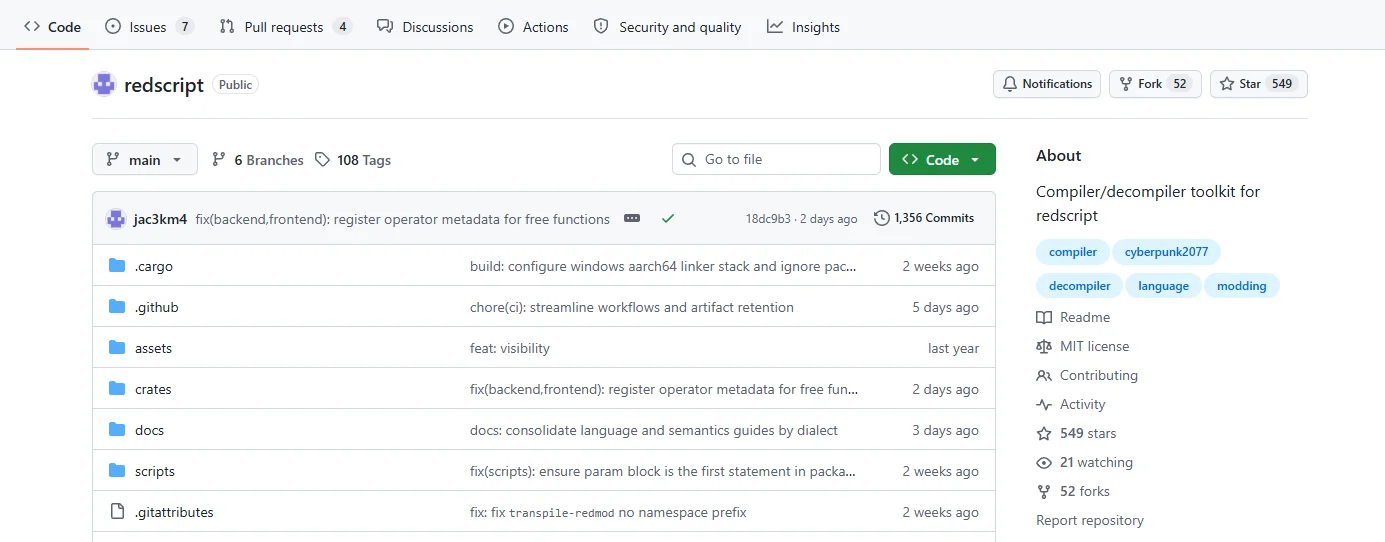
This mod is released under an open licence, MIT, which lets anyone share it as long as its authors are credited and the licence comes with it. Its source code: github.com/jac3km4/redscript · The licence

Captured 20 Nov 2026 from the original page. The author can claim this page, or have it taken down, at any time.